
Brand inquiries show up in the same place as campaigns – on the Campaign Dashboard. Brand inquiries are noted as “Brand Inquiry: Brand Name”
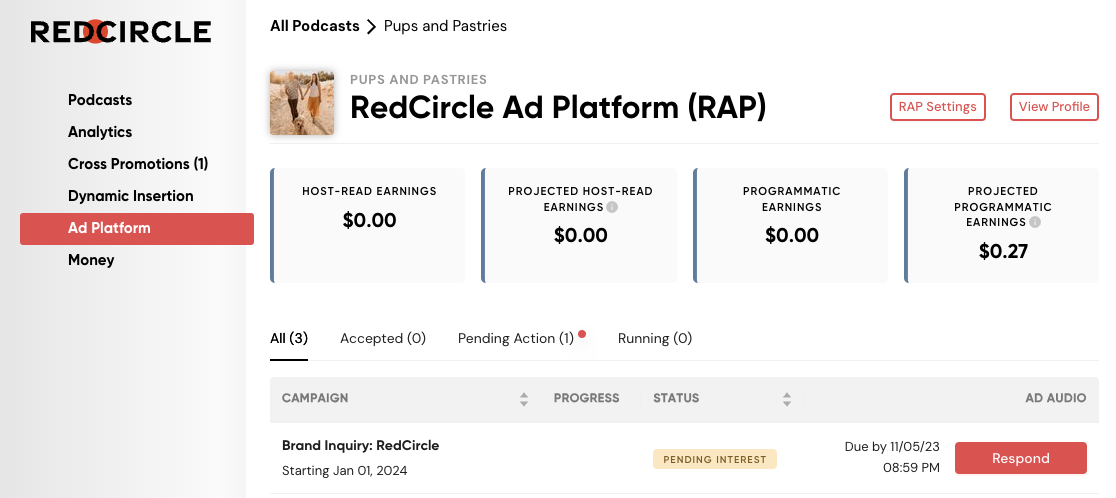
Click on the red Respond button to begin the inquiry process.
The brand inquiry may include campaign information, potential budget, and potential timeline. Brands can decide how much information concerning the campaign they wish to share. You may be asked a series of questions or simply just one. Here’s an example of a brand inquiry you might receive:
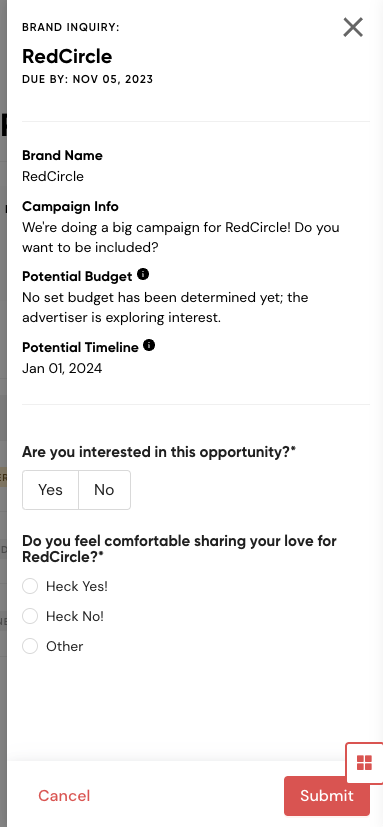
Be sure to respond by the given Response Due Date, or you may lose out on this opportunity!
And that’s it! Once you complete the response, the brand should then follow up with an invite depending on your answers.
Need some advice on how to make your brand inquiry responses stand out? Check out this blog for details.