How to Update Your Payment Method for RedCircle Plans
Last updated: May 29, 2026
Need to update the card used for your plan? This article will provide all the information you need!
Are you currently sponsoring a podcast as a Listener and need to update your card information? See this Help article.
Follow these steps to easily update the card used to renew your subscription to RedCircle.
- Navigate to your Account page and click Payment from the available tabs:
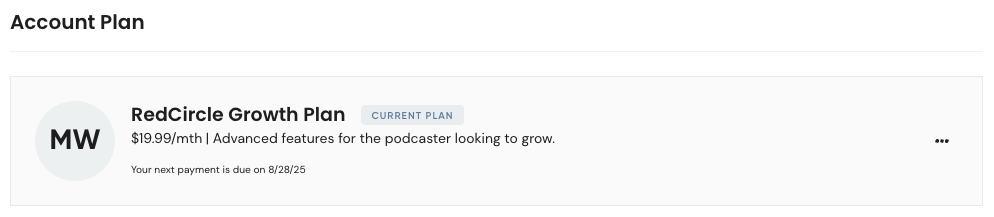
- Click on the 3 dots (...) next to your current plan and select Update Plan:
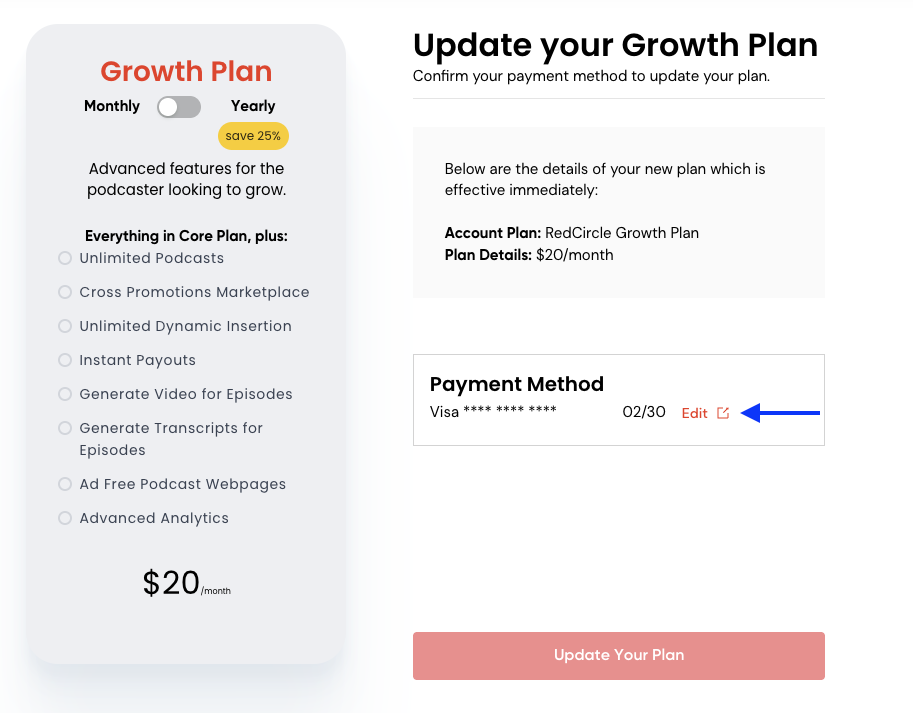
- On the Plan Purchase Page, click the red Edit link next to your card information:
- Enter the new card information and click the red Update Your Plan button to save your changes.